

Making a payment on your SESLOC mortgage loan is quick and easy, whether you prefer our online payment options, paying over the phone, using Bill Pay, or sending a check by mail.
In Online Banking
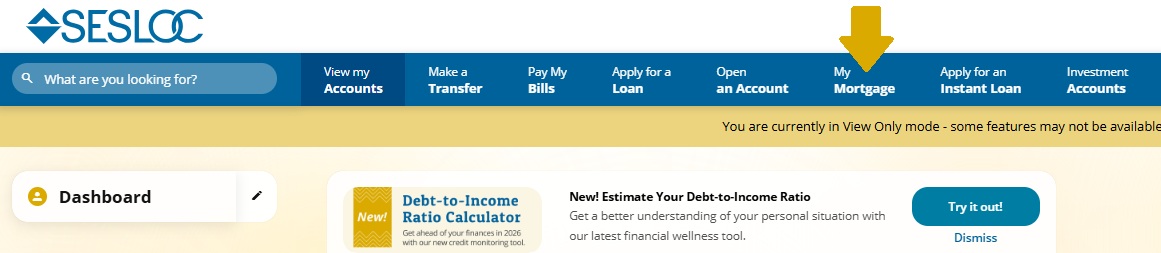
First, log into Online Banking and select the My Mortgage tab. You may need to select the three-dot More Options icon in the menu bar to view all available options.
Make a One-Time Payment
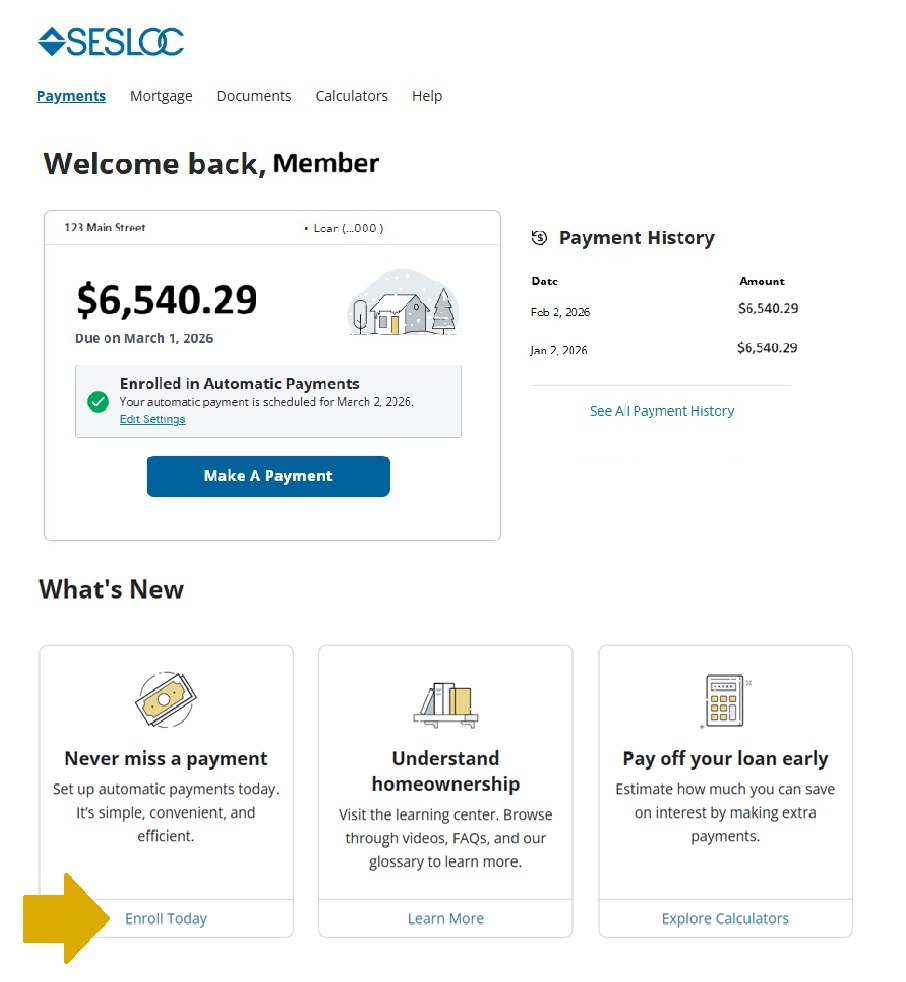
- One the Payments tab, select Make a Payment.
- Select Make a One-Time Payment
- Add your payment source from the drop-down menu. Follow the prompts to enter the routing and account number.
- Review and confirm.
Enroll in Automatic Payments
- On the Payments tab, select Never Miss a Payment module under the What’s New? heading.

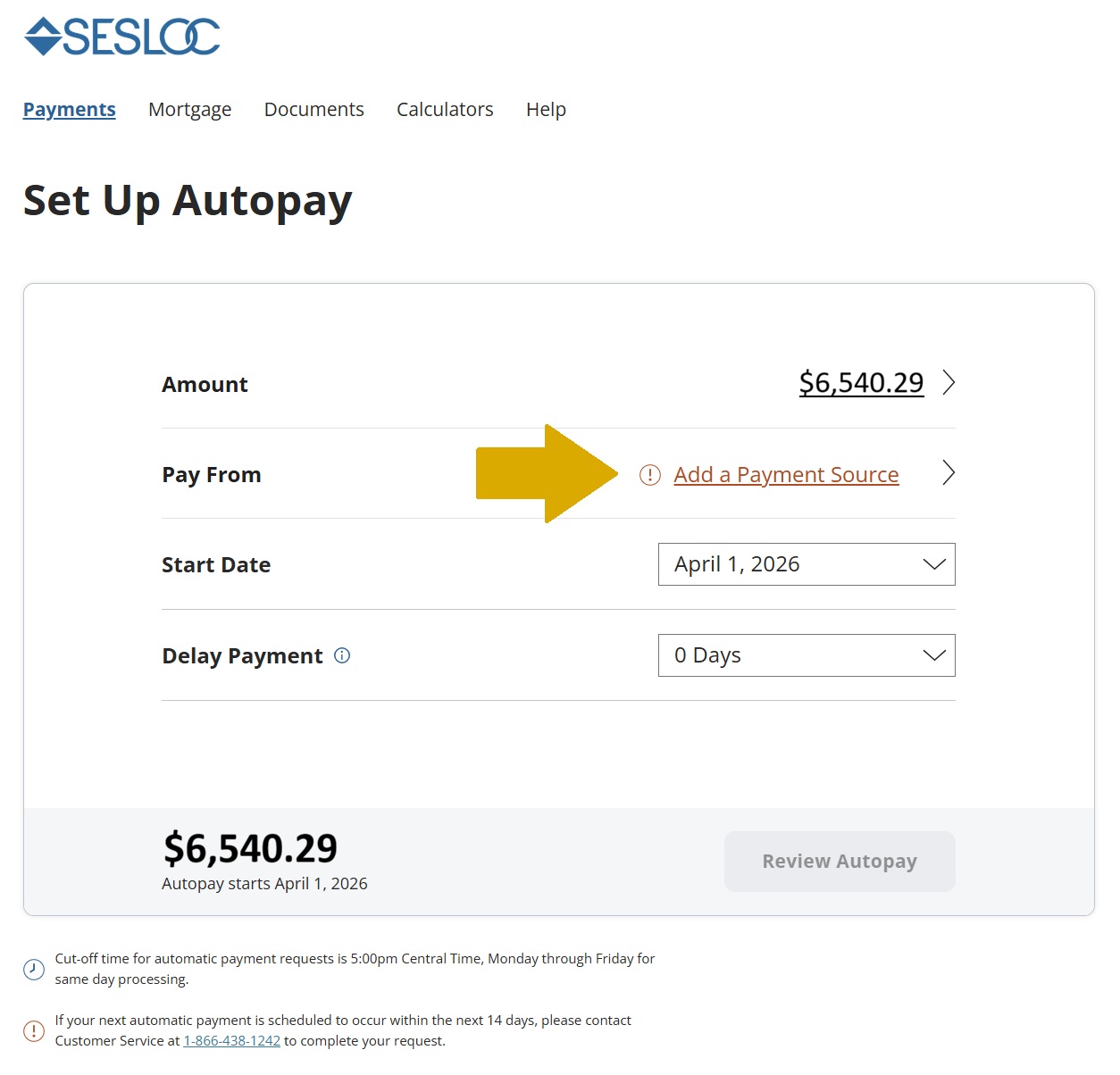
- In the Set Up Autopay screen, your Regular Monthly Payment will be populated in the Amount field. If you wish to apply more funds to the principal, select the field to update the payment amount.
- Select Pay From to add your payment source to the drop-down menu. Follow the prompts to enter the routing and account number.
- Select the Start Date you wish your automatic payments to begin.
- You may elect to Delay Payment by up to 5 calendar days after the due date without incurring any late penalties with the grace period option.
- Select Review Autopay to review the details then select Next.
- If it’s your first time making a payment, you’ll need to Accept Terms.
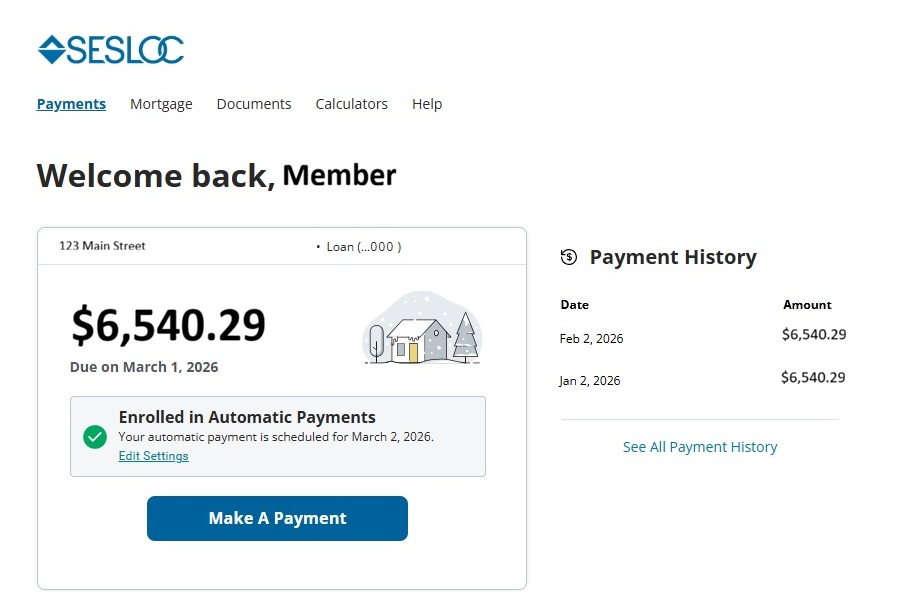
- All done! The Autopay Request Confirmation screen will appear to confirm your request was successful. Your Payments Tab will also display a confirmation that you are enrolled in autopay, which you can select to make any changes.
Other Ways to Make a Payment:
- By Phone: Contact Mortgage Services at (866) 438-1242
- Bill Pay: Add this address as a new Biller, and have your new mortgage loan number handy: SESLOC Credit Union; P.O. Box 7168; Pasadena, CA 91109-7168
- By Postal Mail: Mail a check to this address, or use the pay slip on your monthly billing statement: SESLOC Credit Union; P.O. Box 7168; Pasadena, CA 91109-7168