

Want more predictability on part of your HELOC balance? Locking in a fixed rate segment gives you control over your payments — and it only takes a few minutes to request, right from Online Banking or at your nearest branch.
Here’s how to request a fixed rate segment in Online Banking:
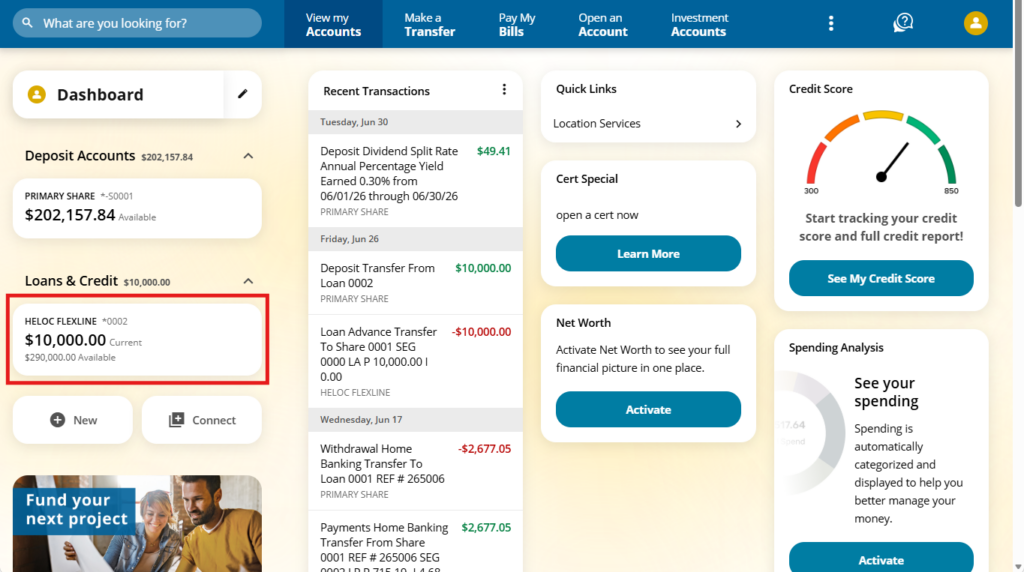
1. Log in and head to your HELOC FlexLine tile
Once you’re logged in, you’ll land on your dashboard. Look for and click your HELOC FlexLine tile on the left side of the screen. This will open up your HELOC FlexLine account view.
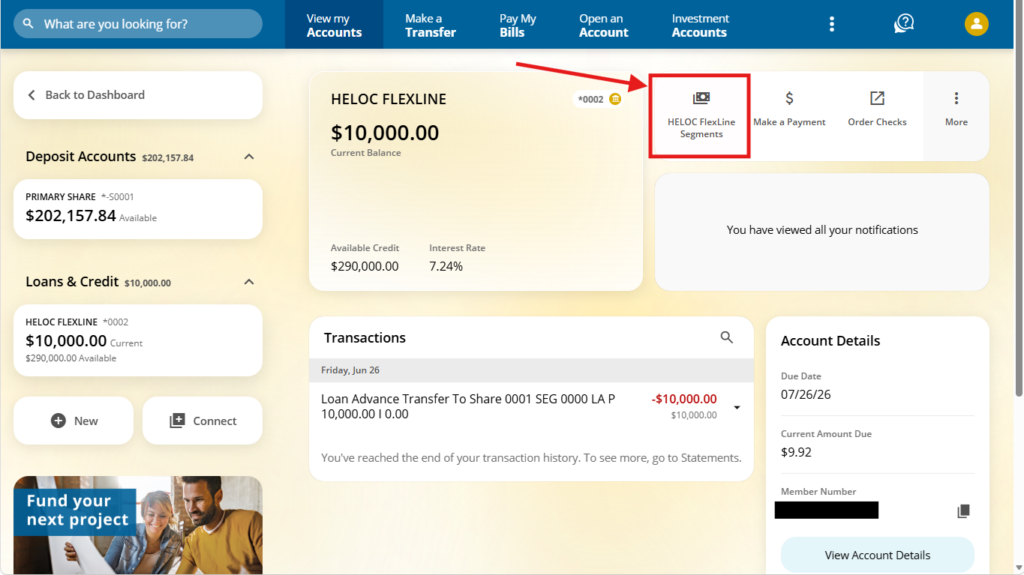
2. Open your Segments screen
From your HELOC FlexLine account view, click “HELOC FlexLine Segments” in the top right corner.
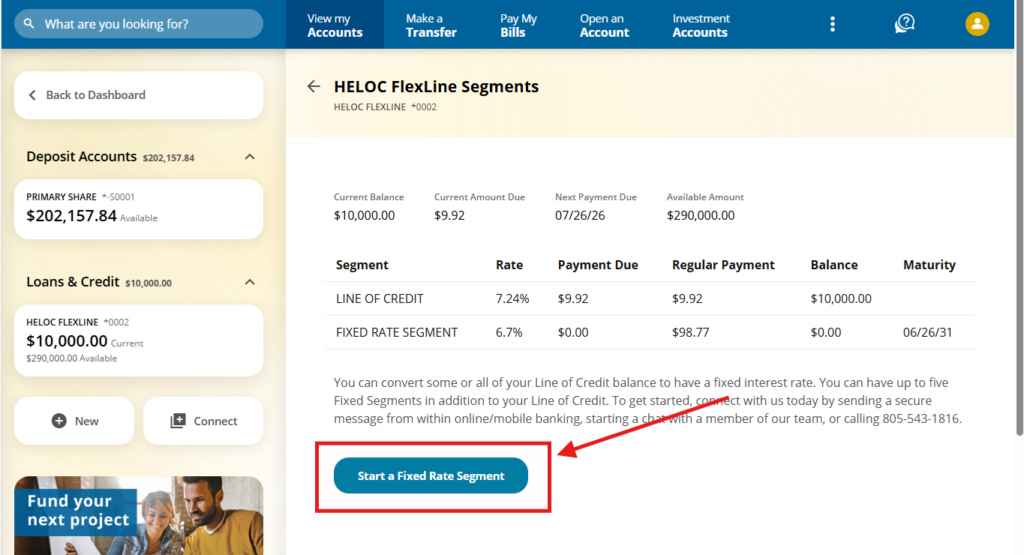
3. Start a new segment
After clicking “HELOC FlexLine Segments” you’ll see your line of credit along with any fixed rate segments you already have. When you’re ready, click “Start a Fixed Rate Segment” in the bottom left.
4. Complete your request
Fill out the Fixed Rate Segment Request form and click Submit. That’s it — you’re done.
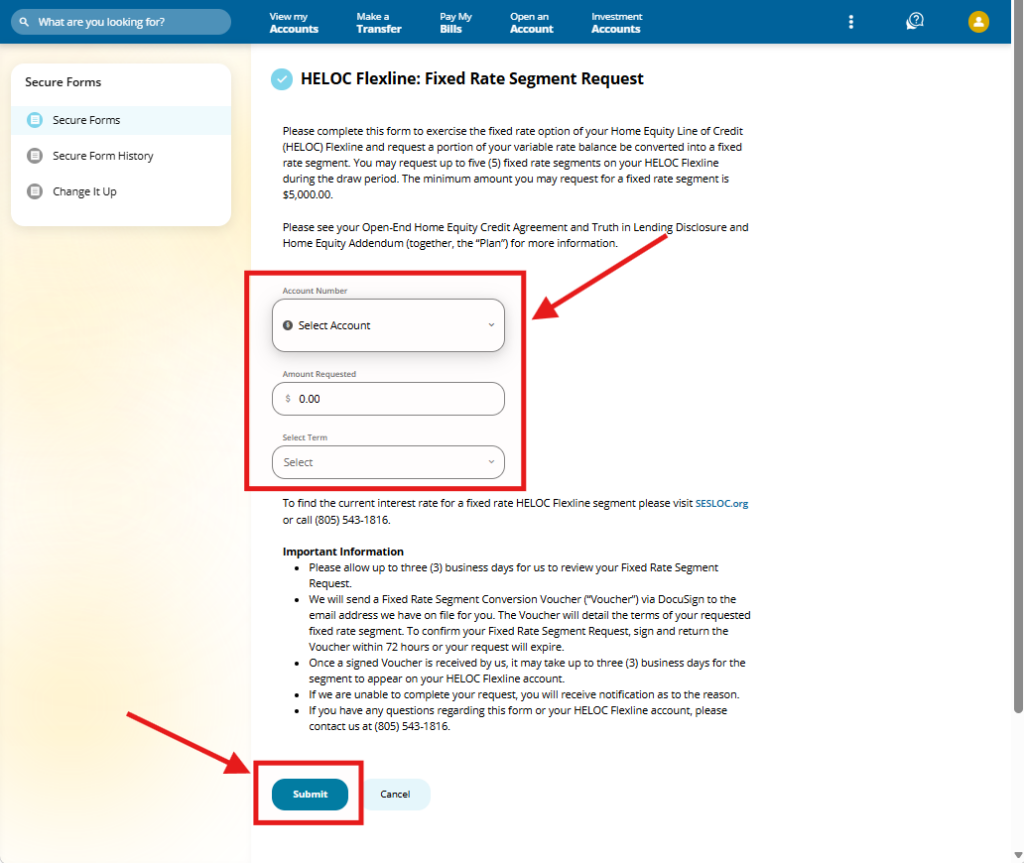
Your rate locks in on the day you submit your request, and processing takes up to three business days. If you have questions along the way, your nearest branch is always happy to help.